Always know what's happening on every device in your fleet
Most fleets run blind. Devices go offline, overheat, lose signal, or run out of storage — and nobody knows until a subscriber calls.
AdminSTB changes that. Every device reports its health every 15 minutes: CPU load, memory, disk space, network status, signal strength, the app running in the foreground, and more. You see the full picture across your entire fleet, historically, without touching a single box.
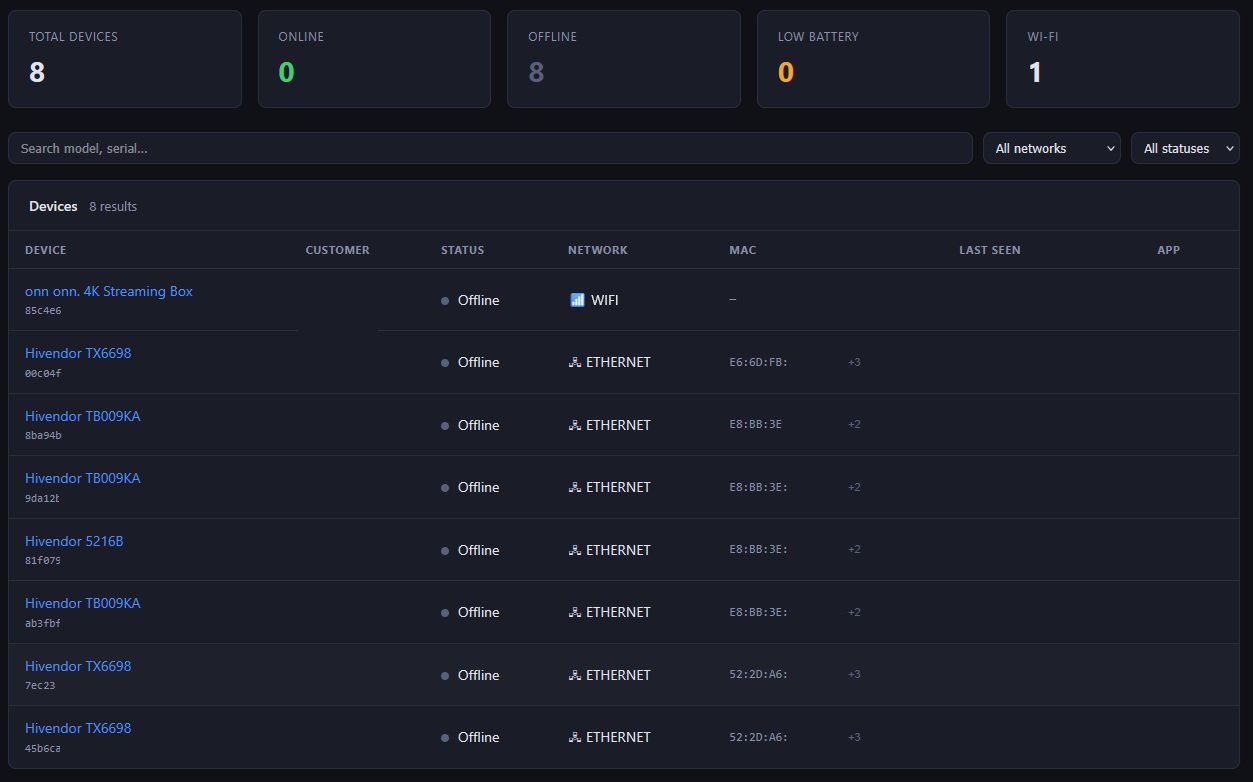
Stop factory-installed malware from eating your network
A significant share of generic Android TV boxes ship with adware, spyware, or botnet clients pre-installed by the manufacturer. These processes run silently in the background — consuming bandwidth, generating outbound traffic, and degrading device performance. Your network pays the cost.
AdminSTB lets you define a blocklist of known malicious apps. The agent checks it on every device, on every cycle, and force-stops anything that matches — fleet-wide, with no visits and no user interaction.
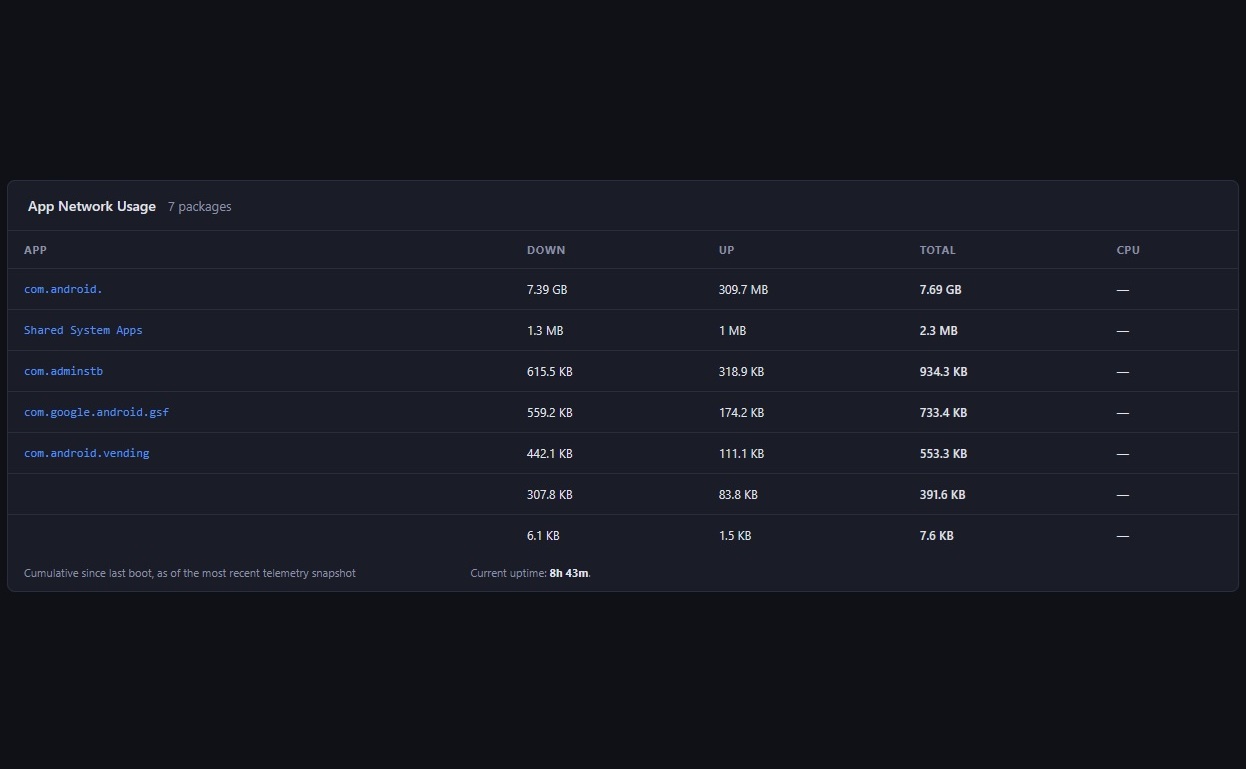
See exactly which app is eating your bandwidth
Knowing usage spiked isn't enough — you need to know which process is causing it. AdminSTB ranks every device's apps by data consumption, so you can tell at a glance whether it's the IPTV client, a background video, or something that shouldn't be there at all.
Cross that ranking against your blocklist and you'll spot factory-installed apps draining your network in seconds — no guessing, no external tools, straight from the dashboard.
Diagnose buffering complaints without leaving your desk
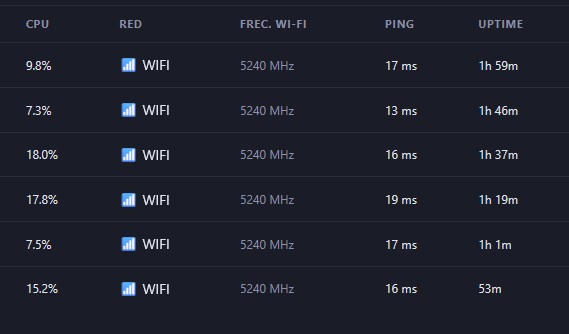
When a subscriber calls about buffering or poor video quality, the answer is almost always in their Wi-Fi signal — but finding out used to mean sending someone.
AdminSTB shows you the device's connected network, frequency band, and real-time signal strength. If a box is on a weak signal or the wrong band, you see it in seconds. Tell the subscriber what to move and close the ticket — no dispatch needed.
Know when a remote control needs a battery change — before the guest complains
In a hotel, a dead remote control is a front desk call, a maintenance dispatch, and a frustrated guest. AdminSTB reads the battery level of Bluetooth remote controls paired to each STB and surfaces that information in your dashboard.
Schedule maintenance proactively. Replace batteries before the room is occupied. No guest ever has to tell you the remote doesn't work.
See exactly what's on any screen in your fleet — right now
A subscriber says the screen is black. A display shows the wrong content. A hotel TV is stuck on the setup screen. You used to have to take their word for it.
Request a screenshot from any device and see exactly what the user sees — without visiting, without asking them to describe it, without guessing. A real capture requires the agent installed as a system app or with root; if the device has neither, you get a diagnostic board with the device status instead of the actual screen image.
Run any maintenance task on any device without leaving your office
Clear an app cache. Force-stop a process. Run a diagnostic. Trigger a configuration change. Whatever the task, you can execute it on any device in your fleet from the dashboard.
The command runs on the device's next check-in and the output comes back to you automatically. No remote desktop, no VPN, no physical access.
Fix it or cut it — from anywhere, in seconds
Device frozen? Reboot it with one click. No visit, no phone call, no waiting for someone to unplug it.
Subscriber past due? Suspend the device and it immediately displays your message on screen — even if content is playing. The moment they pay, you lift the suspension from the dashboard and service resumes instantly.
Send a message that can't be ignored — without cutting the service
Sometimes you need to reach a subscriber without going nuclear. AdminSTB can display a full-screen message on any device — over whatever content is playing — that the user has to actively dismiss.
Use it for payment reminders, scheduled maintenance notices, or any communication that needs to get through. Suspension is the last resort. This is the step before.
See, deploy, update, or remove apps across your entire fleet — silently
Know exactly what's installed on every device. And change it from the dashboard, without anyone on the other end lifting a finger.
Push a new version of your IPTV client, remove an app you no longer support, or verify that a deployment actually landed — all from a single panel, across your entire fleet at once. With the agent as a system app or with root, updates install in the background and users never see a prompt. On certified boxes, a confirmation is requested on screen.
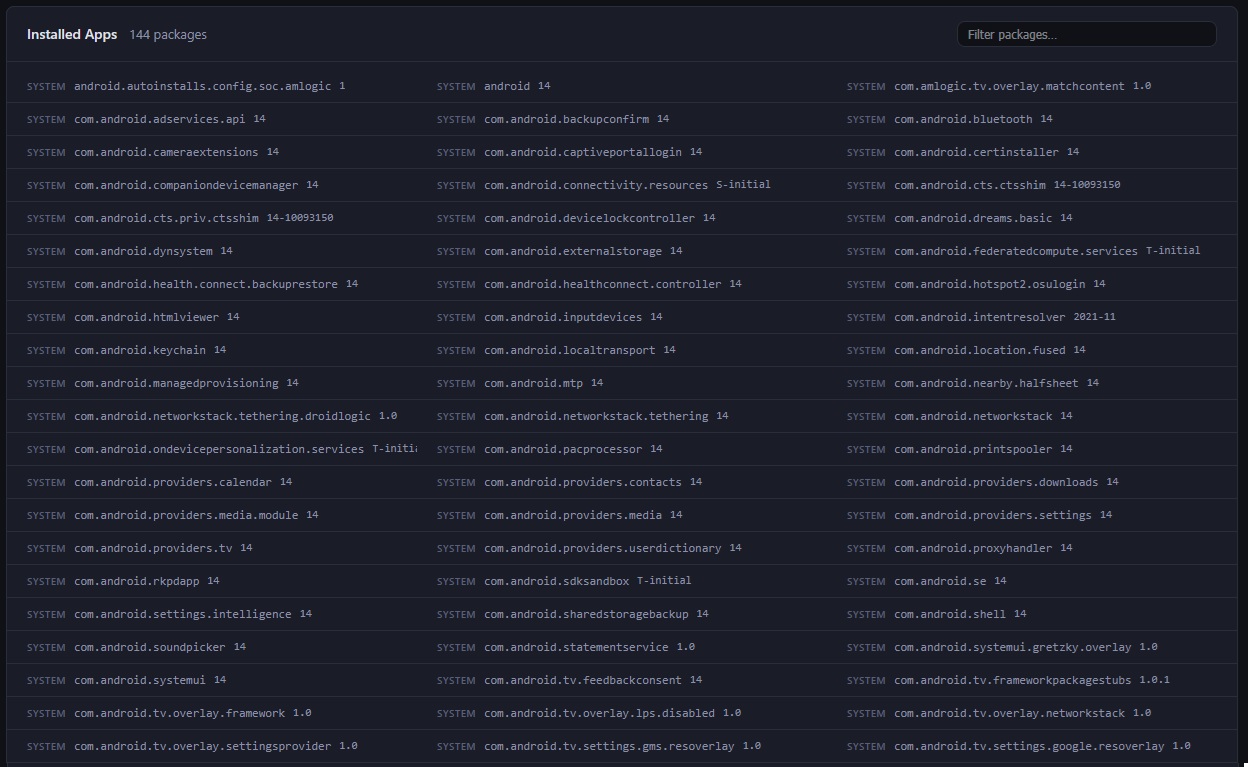
Every app with its risk level, before it costs you bandwidth
In each device's installed apps list, AdminSTB flags apps with a high danger score with an exclamation mark: yellow from 51 and red from 81, on a 0 to 100 scale maintained by the AdminSTB team. Hover to see the exact score.
Each app also has its own page with its network and CPU usage history. If it is a user-installed app, you can uninstall it from there on rooted devices.
App rules per box model, not just fleet-wide
A real fleet is almost never homogeneous. Define which apps get installed, uninstalled or eradicated (uninstalled and disabled) for all your devices, or only for a specific model. If a rule exists for the model, it takes priority over the general one.
Changes are applied in the background on devices where the agent is installed as a system app or with root.
Know what hardware you really have, box by box
Each device reports its model, Android version, supported codecs, DRM, HDR and refresh rate, plus Bluetooth state and audio outputs. It is the difference between suspecting a box cannot play a given format and knowing it.
You can also see which TV is connected over HDMI: when the device reports its EDID, AdminSTB decodes it and shows the name and the raw data on a detail page.
Put your brand on every box's boot screen
Upload your logo, AdminSTB converts it to the format the box needs and applies it remotely on compatible devices. Your subscribers or guests see your brand from the moment the device powers on, without reflashing each box by hand.
It works today on HiSilicon and Rockchip boxes, and can be extended to other devices.
Stable identity, even when the manufacturer repeats the serial
Many white-label boxes ship with the same serial or Android ID on every unit, which makes them overwrite each other in other systems. The AdminSTB agent detects generic identifiers and generates its own, kept on the device, so each box shows up as a distinct device in your fleet.